Map a subject
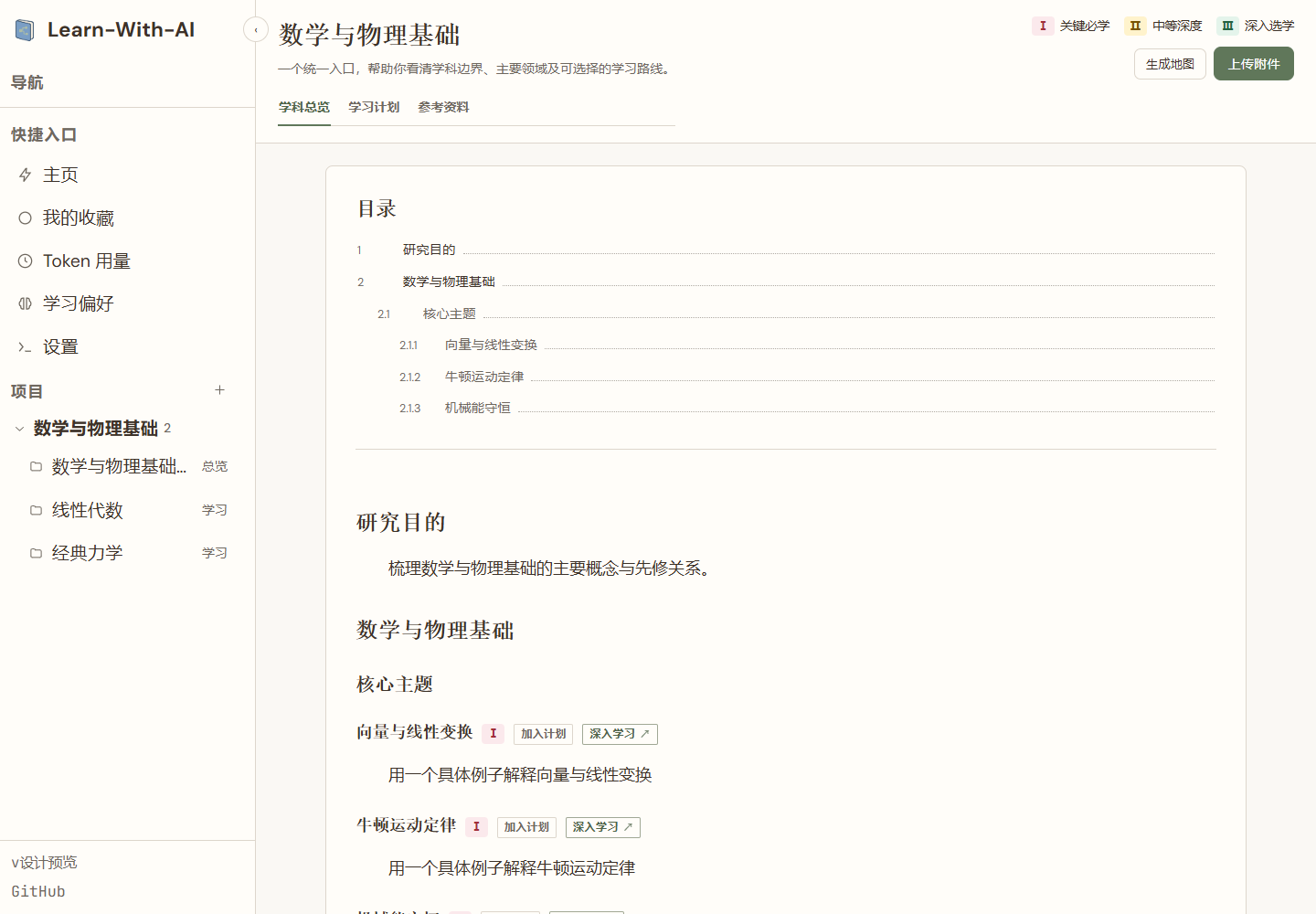
Start with a question or import your textbook, lecture notes or slides. See topic relationships, prerequisites and learning priorities.
 Learn-With-AI
Open source · Local first · Windows / macOS / Linux
An AI learning app that helps you understand a subject and check what you know. Bring your own materials, build a subject map, explore ideas and teach them back to the tutor.
The example conversation needs no API key. Sign in to use a hosted model or connect your own API. The app and screenshots use Chinese.
A complete learning workflow
Start with a question or import your textbook, lecture notes or slides. See topic relationships, prerequisites and learning priorities.
Ask the AI tutor for examples, formulas, diagrams or interactive explanations. Keep useful ideas in notes and editable review guides.
Attempt quizzes before checking the answers. Explain a concept in your own words and let the tutor ask follow-up questions.
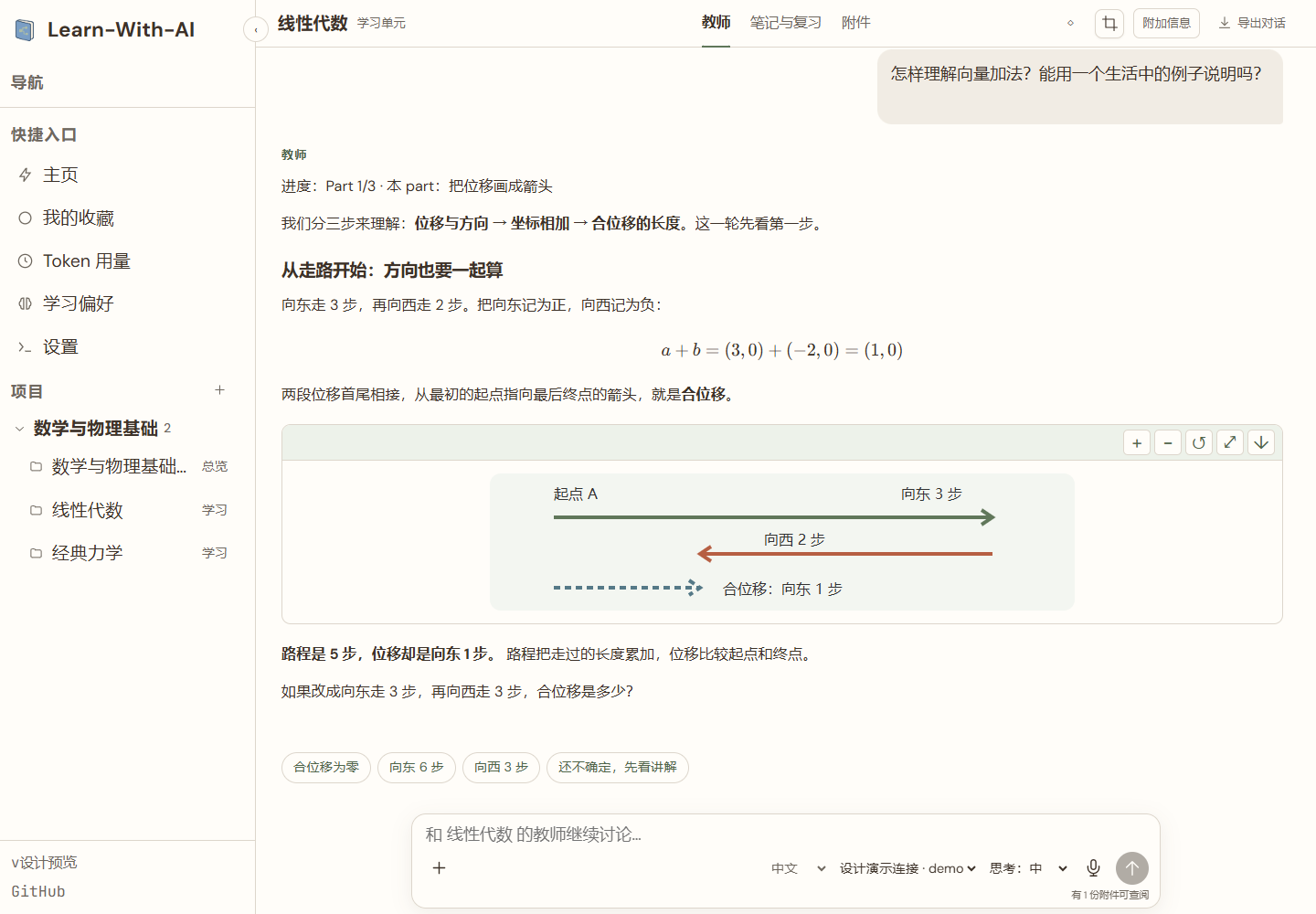
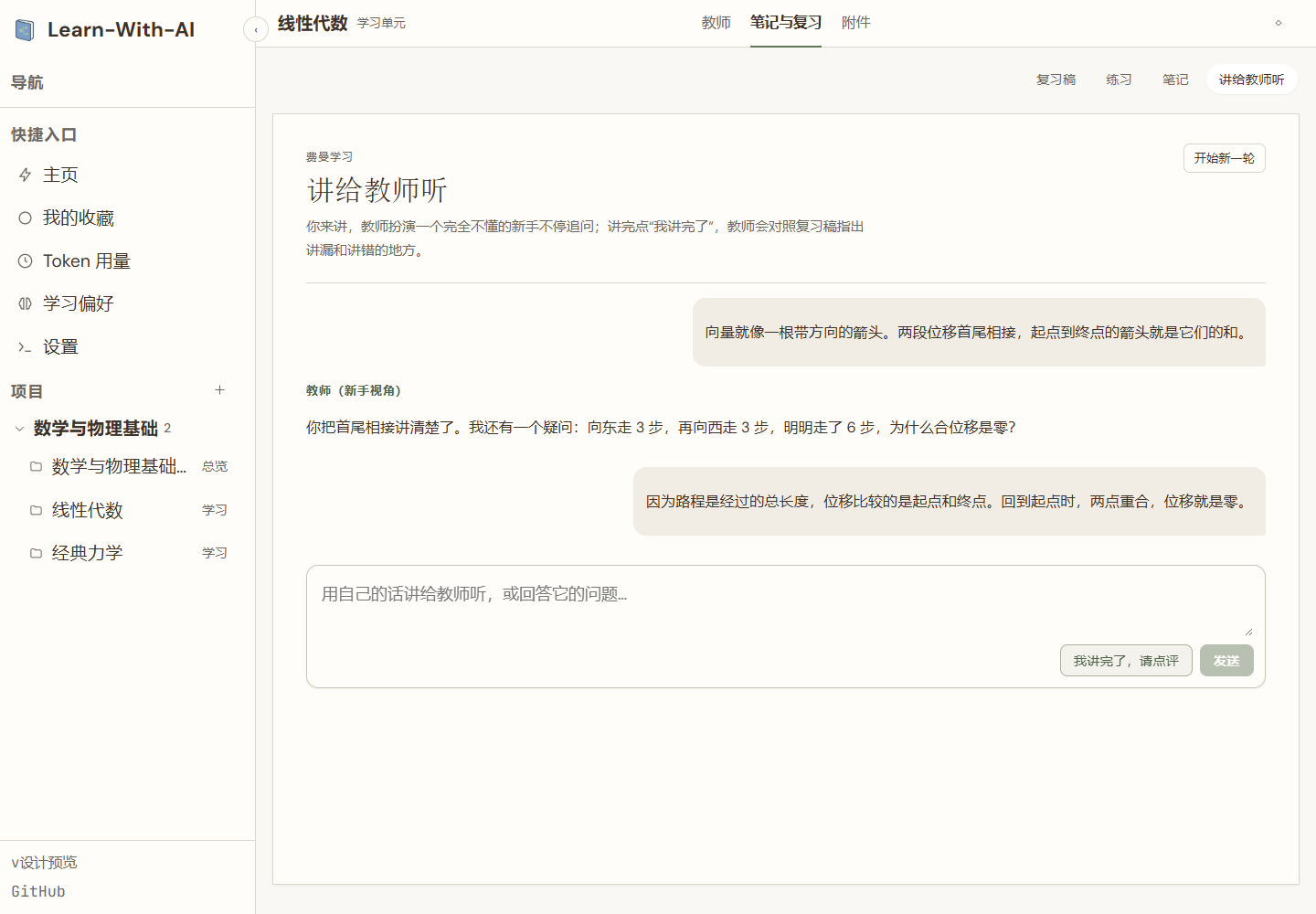
Screenshots contain authored demonstration content. Actual output depends on your model and question. Check important explanations, quiz answers and OCR against your sources.
Your first session
Learn-With-AI is desktop learning software maintained by porridgeowefish on GitHub under the MIT license.
Choose Windows, macOS or Linux on GitHub Releases, with the matching x64 or ARM64 architecture.
Your first launch opens 学习的方法论, a complete example question and answer. Continue the conversation or delete it at any time.
Choose a hosted model or add your own OpenAI- or Anthropic-compatible API in Settings (设置). Then start with a question, a subject map or your materials.
Before you start
Projects, conversations, materials and notes stay on your computer. Local parsing and OCR can run offline. When you choose a hosted model, Learn-With-AI forwards the content needed for that request. Requests sent through your own API go directly to your provider.
The app is open source under MIT. New accounts receive 500 credits and can claim 100 credits each day for hosted models. If you connect your own API, its provider sets the price.
This is an app for learning different subjects with AI, rather than an AI course collection. Use your own questions and materials to study mathematics, automatic control or another subject.
The official Learn-With-AI GitHub repository has the source and English guide. Find versions in Releases and report problems in Issues.
Start with a question, a subject map or an explanation of your own.